


FinishPro™
Acrylic Markers
Precision Color. Cleaner Details. Better Prints.
Soft Brush Tip
Precise control for coloring small details, edges and intricate areas.
Made For 3D Prints
Designed for detailed work on PLA, PETG, ABS and resin prints.
Quick Drying
Apply color with less waiting between details and finishing stages.
Precision Color
Bring miniatures, figures and props to life with controlled color placement.
Couldn't load pickup availability


Your Printer Creates It. You Bring It To Life.
Turn plain 3D prints into finished pieces with controlled color exactly where you want it. FinishPro™ gives you a brush-style tip for painting details, edges and intricate areas directly on your prints.
Add color to small features, edges and detailed areas with greater precision.
Apply acrylic color directly from the marker without preparing a palette and brush.
Ideal for miniatures, figurines, props, models and other detailed printed projects.

YOUR PRINTER CREATES IT. YOU BRING IT TO LIFE.
Turn ordinary 3D prints into colorful, detailed creations. FinishPro™ Acrylic Markers give you controlled color application without the traditional brush-and-palette setup.
Control every stroke and fine detail.
Color miniatures, figures and props.
Keep your creative workflow moving.
Bring intricate printed details to life.

Your Printer Creates It. You Bring It To Life.
Turn plain 3D prints into colorful finished pieces with controlled color exactly where you want it.


Big Brushes Miss the Details. FinishPro™ Doesn't.
3D-printed models are full of tiny features that deserve attention. FinishPro™ uses a soft brush tip to help you apply color to intricate areas with greater control.
Fine Details
Color small features and intricate areas.
Edges & Corners
Follow defined shapes and geometry.
Raised Details
Highlight armor, clothing and textures.
Controlled Strokes
From fine details to broader color application.
Print It. Paint It. Display It.
From fresh print to finished creation. Four simple steps to bring your models to life.
PREPARE
Clean your printed model and prepare its surface.
CHOOSE
Select the color that fits your design.
PAINT
Use the brush tip to add color and fine details.
DISPLAY
Let the paint dry before handling or displaying.
Spend More Time Creating. Less Time Setting Up.
Add precise color to your 3D prints without the traditional brush-and-palette setup.
| FEATURE | GLIZMOS FinishPro™ ACRYLIC MARKERS | TRADITIONAL BRUSH PAINTING |
|---|---|---|
| Ready-to-use color applicator | ✓ | Depends on paint |
| Separate brush required | NO | YES |
| Separate palette required | NO | OFTEN |
| Brush cleaning afterward | NO | YES |
| Precision detail work | ✓ | ✓ |
| Broad painting flexibility | SOME | ✓ |
| Easy to carry | ✓ | Depends on setup |
Less Preparation. More Creativity.
Different tools for different jobs. FinishPro™ makes controlled color application convenient, while traditional brushes still have their place for advanced painting techniques.
Questions Before You Start? We've Got Answers.
Everything you need to know about using FinishPro™ Acrylic Markers on your 3D prints.
01 Can I use FinishPro™ on 3D prints?
FinishPro™ is intended for coloring detailed printed projects. Clean, properly prepared surfaces generally give paint a better chance to adhere.
02 Will the markers hide 3D printing layer lines?
Paint can make some surface texture less noticeable, but the markers do not physically remove layer lines. Sanding or filler primer is recommended when a smooth surface is needed.
03 Are the markers beginner-friendly?
The brush-tip format can be approachable for beginners who want to add color without a separate brush-and-palette setup.
04 Can I paint an entire model?
You can color larger areas, but markers are particularly convenient for details and controlled strokes. Traditional paints or an airbrush may be preferable for large surfaces.
05 Do I need to prepare the model first?
Remove dust, oils and loose residue. Depending on the material and desired durability, primer and a protective clear coat may improve the finish.
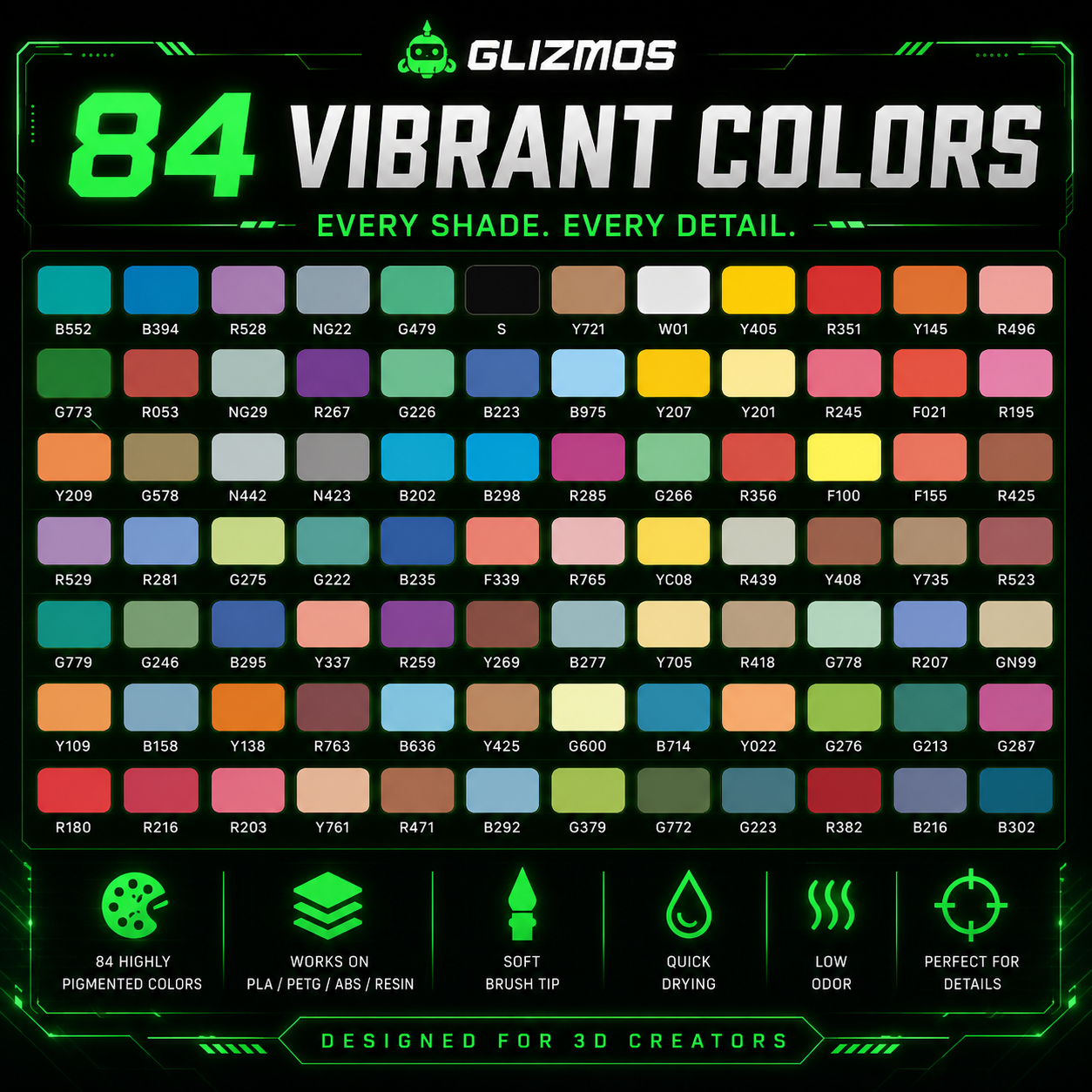
06 How many colors are included?
The number of colors depends on the set selected. Check the product variant options for the contents of each set.